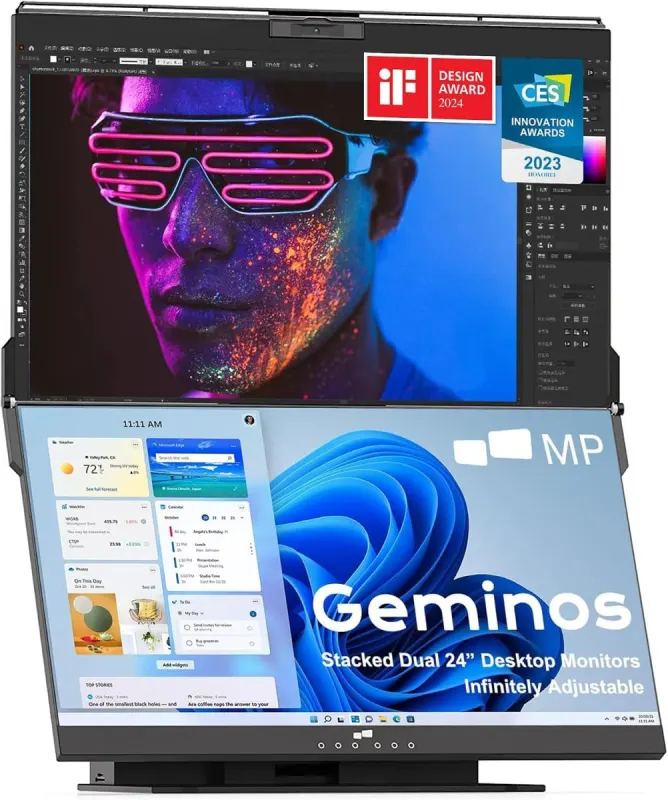
Stacked Dual Monitor Setup That Ends the Neck Swivel
The Mobile Pixels Geminos is a stacked dual monitor setup with two 23.8-inch FHD screens, a built-in webcam, speakers, and a 10-in-1 dock. Instead of swinging your neck between side-by-side displays, you get a top-and-bottom arrangement that keeps your work in one vertical line.
That vertical layout is the quiet hero. It is designed to help you scroll less, because one screen can hold reference material while the other stays on the task in front of you. The small gap between the two panels keeps the pair feeling like one continuous workspace, and the angle between them adjusts so you can find a more ergonomic viewing position. For anyone who has spent a day ping-ponging between left and right monitors, it is a calmer way to work.
Standout Features of the Geminos Workstation
- Two stacked 23.8-inch screens: Twin FHD 1080p IPS panels sit top to bottom with a minimalistic bezel and a minimal gap.
- Adjustable viewing angle: Adjust the angle between the screens to find a more ergonomic perspective for your setup.
- 10-in-1 docking station: An all-inclusive hub for a complete workstation.
- Built-in full HD camera: Join calls without adding a separate webcam to your desk.
- Pair of 3W speakers: Audio is part of the package, so you need fewer accessories on the desk.
- Single-cable option: Use USB-A and USB-C with an MP driver, or choose two cables with standard HDMI or USB-C.
Who Should Get This Stacked Dual Monitor Setup
This is a gift for the person whose desk setup is a personality trait. Programmers, traders, students, and remote workers will understand the appeal of keeping code, charts, notes, or class materials in one vertical stack instead of a side-to-side shuffle. It suits Christmas, graduation, a new job, or a promotion, especially for someone who spends long days at a desk and complains about neck strain or constant scrolling.
It also lands well as a housewarming gift for a home office that is still coming together. The built-in camera, speakers, and dock mean fewer boxes and cables to buy, which makes the whole setup feel considered rather than cobbled together.
What to Know Before You Buy
The honest caveats are worth a look. Each screen is 23.8 inches, so the pair takes up real desk space. The single-cable route needs an MP driver; without it, you will use two cables with standard HDMI or USB-C. If you want a plug-and-play setup with no driver step, plan for the two-cable method. The screens are flat and FHD 1080p, so this is about a focused vertical workspace rather than a massive-resolution display. It is also a substantial gift, so it fits milestone moments better than a small Secret Santa exchange.
If you know someone who lives at their desk, the Geminos is a gift that says you noticed the neck swivel and the cable clutter. Go see it, picture it in their workspace, and make the upgrade feel like a milestone.