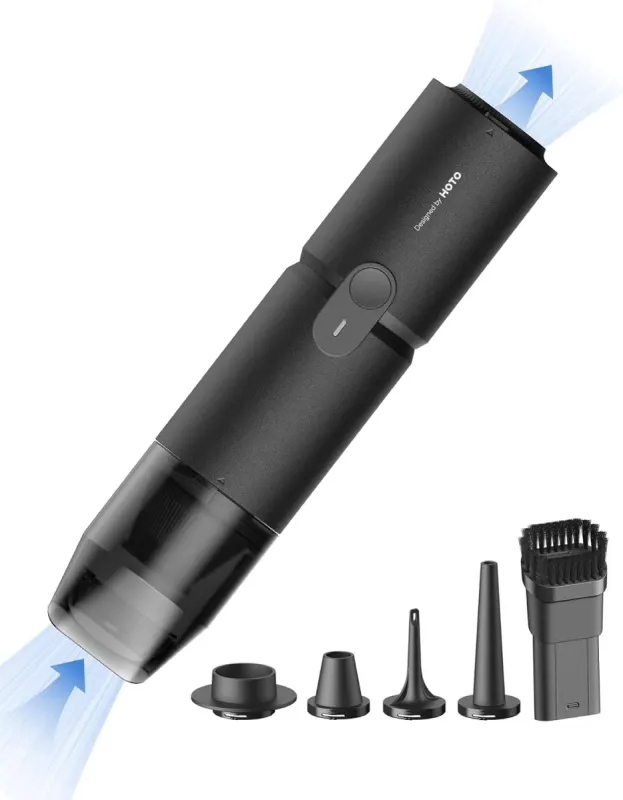
Mini Desk Vacuum That Also Blows: The HOTO Handheld Cleaner
The HOTO Handheld Desk Vacuum is a cordless mini desk vacuum that sucks up dust and blows it away, all from a tool that weighs 0.78 lbs. It is built for the small messes that pile up where you actually work: crumbs between keyboard keys, dust inside a PC case, coffee grounds scattered around the grinder.
Most desk gadgets ask you to choose between cute and useful. This one lands in the middle, and that is the appeal. One button switches between Boost and Eco modes, a crevice brush head reaches the gaps your fingers cannot, and the whole thing is small enough to live in a drawer or on a shelf without becoming clutter. Charge it up and it is ready the next time your setup starts looking tired.
What Makes It Worth Keeping Within Reach
- Vacuum and blower in one: Clear dust from PC interiors, blow debris off keyboards, and tidy coffee grounds around an espresso setup with the same compact tool.
- 15,000Pa in Boost Mode: Ten minutes of stronger suction for stubborn dust and debris, with 7,000Pa and up to 30 minutes in Eco Mode for everyday touch-ups.
- 22 m/s airflow, 500 L/min output: Enough moving air to lift dust from mechanical keyboards, PC fans, vents, filters, and cameras without hauling out heavy equipment.
- Crevice brush head included: It slips into tight gaps around switches, cables, and espresso machines, which is exactly where the annoying dust hides.
- 0.78 lbs and cordless: Light enough to hold while you lean over a monitor arm or reach into a case, with a high-density filter and a rechargeable battery.
- Supports vacuum sealing: It supports vacuum sealing for small accessories and storage bags, so it earns its shelf space well beyond the desk.
Who This Makes a Great Gift For
This is the kind of gift that gets used instead of admired once and forgotten. PC builders and gamers will appreciate something that handles dust in fans, vents, and filters. Desk-setup enthusiasts get a tool that keeps monitor stands, desk mats, and keyboards looking sharp. Coffee lovers with a grinder and an espresso machine finally have a quick way to deal with stray grounds.
Occasions Where It Lands Well
It works for Christmas, birthdays, and Secret Santa, and it is a natural stocking stuffer because it is small, practical, and slightly unusual. A housewarming gift for someone setting up a first apartment or home office also makes sense. If you know a person who straightens your cables when they visit, this is their gift.
What to Know Before You Buy
A few honest details will save you a return. Charge it fully before the first use, and recharge it at least once every three months, because a battery left sitting for three months or longer can refuse to start thanks to its charge protection. Use it on dry dust and particles only, not liquids. When vacuuming, fit the dust collection cup, and never run the vacuum and blow modes at the same time.
If the suction drops and the suction indicator flashes, the filter is usually clogged rather than the unit being broken; replacing the filter is the fastest way back to full suction and runtime. Boost mode gives you about ten minutes of higher-power cleaning, so plan on Eco mode for longer sessions.
If your desk, rig, or coffee corner could use a small rescue tool that does two jobs, take a look at the HOTO handheld and picture it wrapped and waiting for the next birthday or holiday on your list.